Offline vs. Online Excel Password Removers: 2026 Security Analysis
Summary
A comprehensive 2026 security analysis comparing online and offline Excel password removal tools, covering privacy risks, malware threats, and AI-powered alternatives.
This 2026 security guide provides a security-focused breakdown of online versus offline Excel password removers. The distinction is critical because it involves a real trade-off between convenience, privacy, and system safety. ⚖️
Modern solutions like Niraiya are designed to reduce this risk by combining advanced AI intelligence with a privacy-first architecture, instead of forcing users to upload sensitive files or install risky software.
⚠️ Critical Distinction: "Remove" vs. "Recover"
Before choosing any tool, you must identify which type of Excel protection restricts your file, because this directly determines the technology required.
| Protection Type | Effect | Difficulty to Bypass | Process |
|---|---|---|---|
| Password to Modify | File opens but editing is blocked | Low | Removal - protection can be stripped without knowing the password |
| Password to Open | File cannot be viewed at all | Extreme | Recovery - password must be cracked via brute-force techniques |
🌐 Online Excel Password Removers
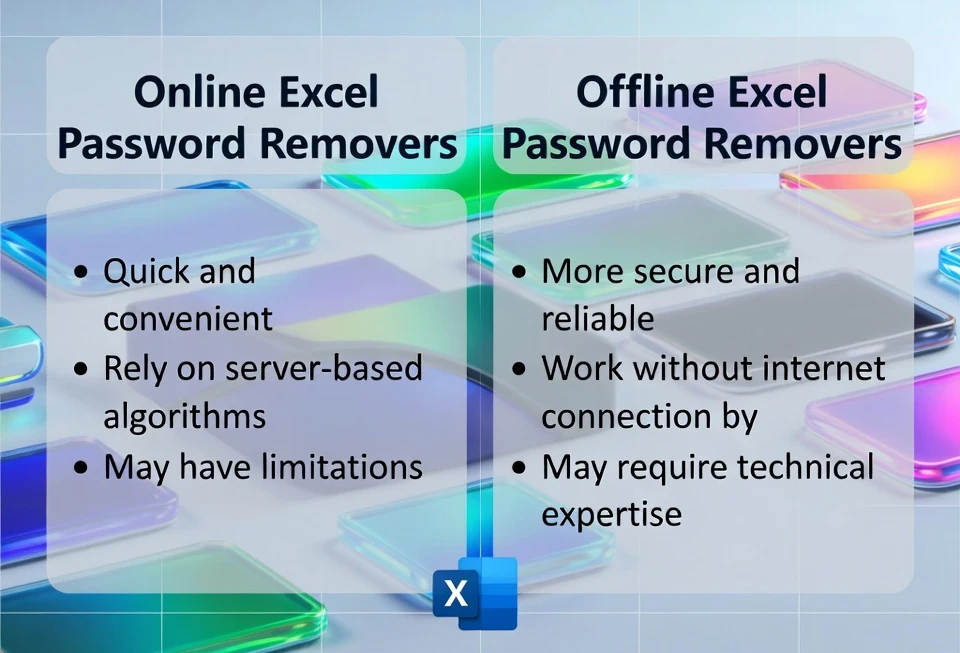
Online removers are web-based services where you upload your locked Excel file to a remote server for processing.
How they work
- You upload the
.xlsxfile through a browser - A server farm attempts to:
- Remove XML protection tags (Modify password), or
- Crack the encryption key (Open password) using shared computing resources
Best for
- Files with no sensitive information
- Weak or commonly used passwords
- Simple Modify-only restrictions
Popular tools
- LostMyPass
- OnlineHashCrack
🚨 Security Risks (2026 Update)
Data Permanence
Once uploaded, you lose full control of your file. Many Terms of Service allow files to be retained for "analysis" or "algorithm improvement," even after recovery.
Data Harvesting
Malicious or poorly regulated sites may collect email addresses, file names, and document metadata 📧, which can later be abused or sold.
Encryption Limits
Most online tools fail against AES-256 encryption (Excel 2016-2024) when passwords are long or randomly generated.
For a deeper analysis of these risks, read our guide on Excel password cracker risks and safe alternatives.
💻 Offline Excel Password Removers
Offline removers are downloadable software applications installed on your local computer. All processing happens using your CPU or GPU.
How they work
- The Excel file stays on your machine
- The software performs:
- Dictionary attacks
- Mask-based brute force
- Full brute-force attempts using GPU acceleration ⚡
Best for
- Financial or legal spreadsheets
- "Password to Open" recovery
- Compliance-restricted environments (GDPR / HIPAA)
Popular tools
- Passper for Excel
- PassFab
- iSunshare
🦠 Hidden Risk: Malware & Viruses in Offline Crackers
While offline tools avoid uploading your file, they introduce another serious risk:
- Many free or cracked Excel password tools are bundled with:
- Trojans or spyware
- Crypto-mining malware
- Keyloggers that steal saved passwords
- Backdoors that allow remote access
- These tools often:
- Require administrator privileges
- Disable antivirus warnings
- Run unsigned or obfuscated binaries
Learn more about safe Excel password recovery tools in 2025.
✅ Security Advantages (Only When Tools Are Trusted)
Air-gap capable
You can disconnect the internet during recovery to reduce exposure. 🔌
No file uploading
Sensitive spreadsheets remain on your local disk.
High performance
GPU acceleration allows recovery attempts up to 40× faster than CPU-only methods.
This is why Niraiya.com avoids unsafe downloads entirely and delivers recovery logic without exposing users to malware-prone executables.
🤖 The Multi-AI Advantage: ChatGPT, Gemini, and DeepSeek
Why use one brain when you can use three?
Niraiya combines the strengths of the world's leading AI systems to recover Excel passwords faster and more intelligently.
We coordinate OpenAI's ChatGPT 🧠, Google's Gemini 🧠, and DeepSeek 🧠 APIs to work together - like a team of specialists analyzing the same lock from different angles.
🧩 Thinking Like a Human (ChatGPT)
ChatGPT excels at understanding human password behavior.
Most people reuse:
- Names
- Dates
- Familiar patterns
ChatGPT predicts these human-like variations first, increasing the chance of early success and reducing wasted attempts.
📊 Crunching the Numbers (Gemini)
Gemini handles large-scale probability modeling.
It ranks millions of possible combinations, filtering out statistically unlikely candidates so computational effort is focused where it matters most.
🔄 Learning in Real Time (DeepSeek)
DeepSeek continuously adapts.
As recovery progresses, it analyzes feedback from each attempt and adjusts strategy dynamically, narrowing toward the correct password with each iteration.
🤝 Better Together
Each AI is powerful alone. Combined, they create a smarter, faster recovery engine.
This fusion allows Niraiya to unlock Excel files in minutes - tasks that once took days - while strictly following ethical and legal usage guidelines.
Discover the full technical details in our article: Niraiya AI-Powered Excel Password Recovery Explained.
🔒 Why Your Data Stays Private
Privacy is not a buzzword here - it's the foundation of the architecture.
What never leaves your computer
- Excel file content
- Cells, formulas, and calculations
- Charts, images, and embedded objects
- Macros and VBA code
- Any personal or business data
What is processed (encrypted only)
- Cryptographic password hash (a mathematical fingerprint)
- Excel version and encryption type
- File size (used only for optimization)
- Basic technical metadata
Even in a hypothetical breach, there is nothing usable to steal. Rebuilding a spreadsheet from cryptographic hashes is mathematically impossible.
For more information about our commitment to data protection, review our privacy policy.
📊 Comparison Table: Online vs. Offline
| Feature | Online Tools | Offline Software |
|---|---|---|
| Data Privacy | High risk | Safe (if clean) |
| Malware Risk | Low | High (untrusted tools) |
| Speed | Medium | Fast (GPU) |
| Cost | Free/Freemium | Paid |
| Installation | None | Required |
| Capability | Limited | Robust |
✅ Summary & Recommendation
Use Online Tools If
- The file contains zero sensitive data
- The password is weak
- Upload risk is acceptable
Use Offline Tools Carefully If
- You fully trust the source
- You understand malware risks 🦠
- You use antivirus and isolated environments
Use Niraiya-Style Recovery If
- The file contains PII, financial data, or trade secrets
- You want no uploads, no malware, no unsafe downloads
- Security and transparency matter in 2026
📚 Additional Resources
Explore these related guides to strengthen your Excel security knowledge: